Bed Choices on a Chinese Hotel Booking Page
Show what beds a hotel guest can book in WeChat, what needs a separate request and exactly which arrangement the property has confirmed for the stay.
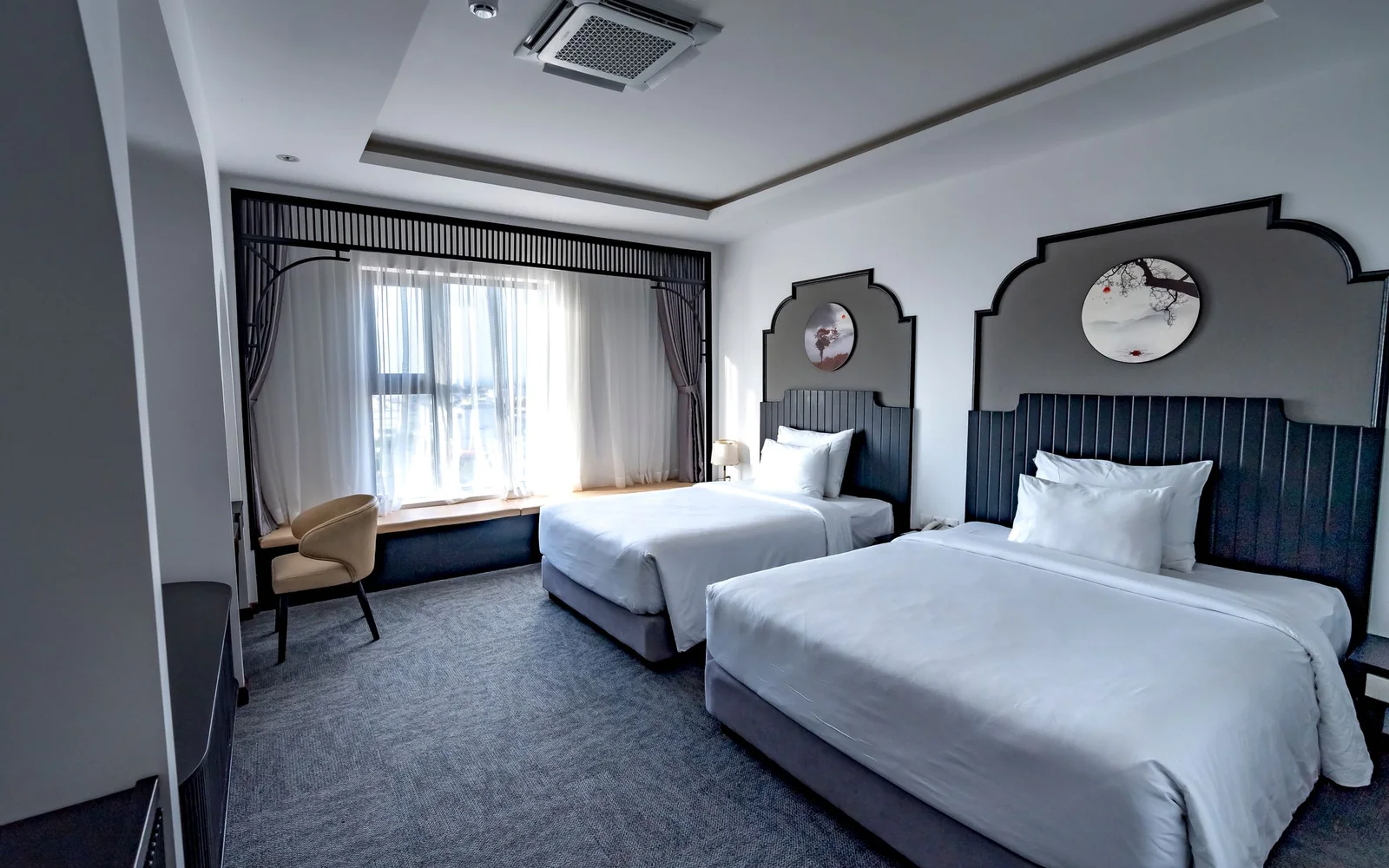
Two friends travelling together choose a room from a Chinese booking page. The photo shows two beds. At the end of checkout, the summary says 双人房, a room for two people. The hotel receives a booking for that category, with no bed arrangement attached. Both records say the room is booked, but the friends still do not know whether they will have separate beds.
For an overseas hotel building a Chinese booking page in WeChat, the question is what the guest can actually select. Some properties sell double-bed and twin-bed rooms separately. At others, the same room category can have either layout. The Chinese page, the hotel's reservation record and the confirmation should all make the same distinction.
The short version
Agree which beds belong to a bookable room, which arrangements the hotel can take as requests and how it returns a decision. Keep the distinction visible from the first selection to the confirmation the guest can reopen.
Separate the number of guests from the beds
Suppose a small independent hotel has two room categories that each sleep two guests. Its fixed twin category has two single beds. Its flexible category can be prepared with either one double bed or two single beds, depending on what the hotel can allocate. These are example categories, not the policy or inventory of a real hotel.
On the Chinese page, put the bed configuration immediately below the room name. For the fixed twin, 双床房 · 两张单人床 gives the room label and the actual layout. For the flexible room, show both possible layouts and tell the guest how to request one if the hotel offers that choice. A room name, occupancy number and photograph each provide different information. A guest should be able to identify the layout without counting beds in an image.
Give the Chinese editor the room IDs and names that appear in the reservation system. If the hotel sells a room category at several rates, keep the bed facts tied to the room and show inclusions such as breakfast with the rate. A different rate for the same room should not appear to buy a different bed configuration.
Match the control to what the hotel can sell
Start with a real decision from the booking system. If the twin room is a separately bookable category, the guest should see that category and carry it into the summary. If the flexible room only accepts a request, place that request beside a label such as 床型偏好,待酒店确认 (bed preference, awaiting hotel confirmation). A visual treatment that makes the preference look like a confirmed option changes the meaning of the order.
Give an undecided guest a clear way to continue with either configuration if the hotel supports it. For a guest who needs separate beds, make the exact twin category easy to find. If the guest's essential arrangement can only be checked manually, offer a route to ask before committing, with the room and stay details carried through to the person answering. The hotel enquiries guide covers that discussion and who returns the decision.
When an exact room type is unavailable, keep the difference visible in any alternatives. In the example, the fixed twin might disappear for the selected dates while the flexible room remains available. If the page suggests the flexible room, name it as a separate option and describe the preference process before the guest chooses it. Avoid silently changing the product when someone adjusts the dates.
Keep the booked room and bed request separate
In the example, the room category is part of the reservation. The bed preference is a separate detail with its own state. Agree how both will appear in the hotel's actual reservation view. A staff member should be able to tell from that view whether the guest has a guaranteed twin category or has asked for twins in a flexible category.
For a fixed twin, preserve the specific room category and its accepted rate reference through checkout. For a flexible room, carry the guest's requested layout and mark it as pending until the hotel can accept it. If the receiving system offers only a general notes field, agree who reads that field and how an accepted request reaches the guest. Test the actual staff view with the property team. A request saved on the Chinese page is useful only if it reaches the people allocating rooms.
Use the same property and local stay dates in the guest and staff records. The branch identity guide explains why that property reference matters when several hotels use similar room names.
Make the confirmation usable after checkout
Show the room category, stay dates and the bed arrangement on the confirmation the guest can reopen. Give the bed arrangement its own line when it can change. With the flexible room, it is possible for the room booking to be confirmed while the bed preference is still pending. A guest should be able to read both facts in one place.
已预订双床房 · 两张单人床(Twin room booked, two single beds). Use this when that configuration belongs to the confirmed room category.客房已确认 · 双床偏好待确认(Room confirmed, twin-bed preference pending). Use this when the booking is accepted and the hotel still needs to decide the bed request.酒店已确认安排两张单人床(The hotel has confirmed two single beds). Use this when staff have accepted the preference for the existing reservation.无法确认双床,请联系酒店(Twin beds could not be confirmed, please contact the hotel). Use this only when the property has checked the request, cannot confirm it and provides a working contact route.
If the property can confirm the request later, show the accepted arrangement on the existing reservation and record who authorised it. If the hotel offers a different category or rate, give the guest the revised terms and let them decide before changing the reservation.
Check one booking from both sides
Have someone book the fixed twin in a test environment. Reopen the confirmation and ask a member of the reservations team to find the same booking in the system they will use on shift. Both should be able to identify the two beds from the record alone. On a phone, check that the bed line still appears beside the selected room before confirmation.
Then test a flexible booking with a twin request. Check the pending state, a later acceptance and a case where staff cannot confirm the request. Look at the reopened Chinese confirmation after each decision. Change the stay dates once to verify that the booking page checks the selected category again. Ask the reservations team to explain which arrangement the guest can rely on. Their answer should match the Chinese confirmation.
Where CN1X fits
CN1X's services can cover the Chinese room copy, Mini Program selection and confirmation screens, and the agreed handoff to the hotel's reservation process. The hotel supplies the real room and rate definitions, determines which arrangements it can accept and confirms how staff will manage requests.
Discuss your hotel's booking flow. Bring a room category with a fixed layout and one with a preference. Those two examples show what the Chinese page must communicate to the guest and what reservations needs to receive.
Related reading
Chinese Hotel Enquiries to Direct Reservations
Connect Chinese hotel content with enquiries and direct reservations. Define who answers, who confirms rooms and how the stay reaches your booking system.

Keeping the Right Branch in Chinese Bookings
Keep the intended property clear from a Chinese post to an enquiry, reservation and arrival message, even when several branches share the same brand name.

Keeping Chinese Bookings on Destination Time
Keep the destination date clear in a Chinese Mini Program. Connect the selected departure, payment summary and confirmation without device-time confusion.